Skip to product information
1 of 2

Smartstitch S-05E 5-Needle Portable Embroidery Machine, Compact Multi-Needle Desktop Machine for Caps, Shirts, Craft Fairs & Pop-Up Events, Mobile On-Site Customization (Creator Bundle)

Smartstitch S-05E 5-Needle Portable Embroidery Machine, Compact Multi-Needle Desktop Machine for Caps, Shirts, Craft Fairs & Pop-Up Events, Mobile On-Site Customization (Creator Bundle)

Shipping in January 2027

Sub total

$2,449.00

★ Five Needles, Fewer Manual Thread Changes: Keep five thread colors ready and let S-05E switch automatically between them as your design stitches. A practical step up from single-needle embroidery, helping you spend less time changing thread on multicolor projects.

★ Made for Caps, with Room for More: Create custom hats with the dedicated cap embroidery system, then explore clothing, bags, and larger designs with a spacious 400 × 250 mm flat embroidery area—approximately 16″ × 10″. One compact machine for a wide range of personalized projects.

★ Your First Multi-Needle, Backed by Smartstitch: Get started with online training, setup guidance, and a dedicated technical support group. Whether you are creating at home or taking your first custom orders, our team helps you learn your machine and continues supporting you after training.

How should I do if I fail to pay with my credit card?

Solution A: Please call your card bank to solve this problem immediately. As it is a large transaction, your payment amount may exceed the limit of your card or your purchases never amounted to this much. So call your card bank to see if the limit is sufficient, then authorize the purchase (by message or call) to complete the transaction.

Solution B: We support multiple payment methods such as PayPal, Visa, MasterCard, etc. If you cannot pay by credit card, you can try to use other payment methods.

affirm

Afterpay

Visa

Mastercard

American Express

klarna
  • American Express
  • Apple Pay
  • Cartes Bancaires
  • Google Pay
  • JCB
  • Mastercard
  • PayPal
  • Union Pay
  • Visa
View full details
About your query!
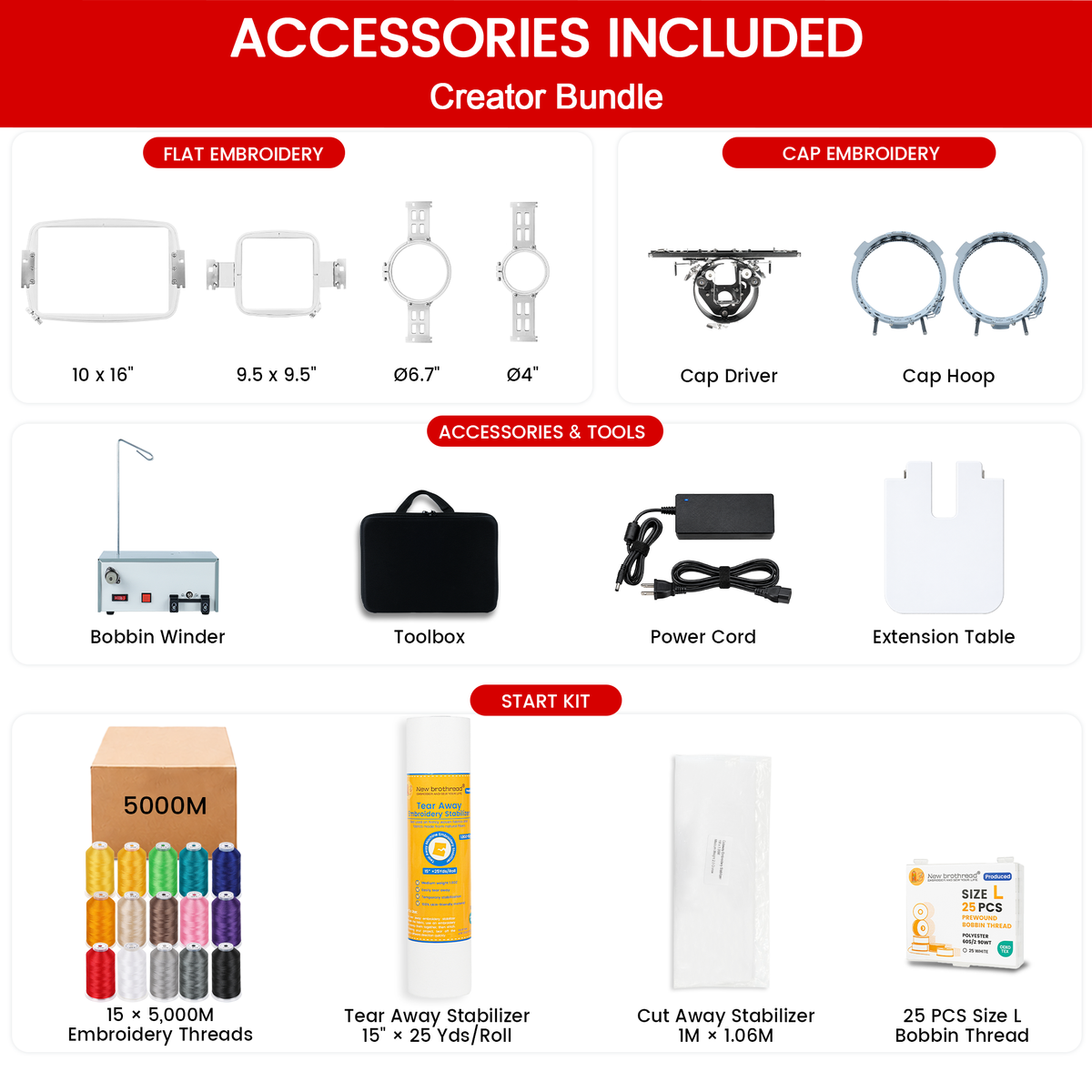
Accessories
Project Ideas
Training
One-on-One Online Training & Support

Learn your machine with U.S.-based support.

Training & Support Flow

How your live training works

View Steps
1

Join Your Dedicated Support Group

Connect with your support team and send questions, photos, or videos anytime.

2

Watch the Setup Videos

Follow the essential videos to assemble, prepare, and become familiar with your machine.

3

Send Photos for a Pre-Check

Let the team review your threading, bobbin, hooping, and basic machine setup.

4

Book Your Live Training Session

Choose an available appointment based on U.S. local time and your trainer’s schedule.

5

Prepare for Your First Project

Your trainer checks the machine, helps adjust tension, explains key functions, and guides you toward your first successful embroidery project.

Remote support continues after training, so you can return to your dedicated group whenever you need additional guidance.

Essential Learning Checklist

What your trainer will cover

View Topics
1

Machine Setup

  • Confirm the machine and embroidery frame are set up correctly.
  • Identify the main parts used during daily operation.
2

Threading & Bobbin

  • Learn the correct upper-thread path.
  • Check bobbin direction and basic bobbin tension.
3

Hooping & Positioning

  • Choose and secure the correct hoop or frame.
  • Center and trace the design before stitching.
4

Screen Controls

  • Use the essential design, color, speed, and trim controls.
  • Understand the basic start, stop, and stitch-position functions.
5

Tension Adjustment

  • Run a tension test and inspect the front and back.
  • Make basic upper-thread or bobbin adjustments when needed.
6

First Project & Next Steps

  • Complete a guided test project with the correct settings.
  • Learn where to get follow-up help, maintenance guidance, and extra training.
Support
Support Flow

How Support Works

1

Ask in Your Dedicated Support Group

Send photos, videos, or a description of the issue.

2

Receive Step-by-Step Guidance

Our training or technical team reviews the case and provides clear instructions.

3

Get Additional Service When Needed

For issues that cannot be resolved remotely, parts or local service options may be arranged based on your location.

Basic Information
Q&A
Demo
User Stories